barberlyworks with
Use Revolut in your barbershop
★★★★★4.8 on Trustpilot·11K+ barbers
Client payments go straight into your Revolut Business account, online and at the desk.
Included in every Barberly plan
House 13$45.00Tap, insert or swipe
Client payments go straight into your Revolut Business account, online and at the desk.
Included in every Barberly plan
Clients pay for services and products when they book.
Take the full price or a deposit as a percentage.
The client saves a card. Nothing is charged at booking. A later charge can ask the client to confirm with 3D Secure.
Charge the saved card, following your cancellation policy.
The card is charged on each renewal date.
Clients add a tip when they pay in the app or on the website.
Refund a payment from the appointment, without opening Revolut.
Every Revolut payment appears in Barberly reports.
Take card payments on your Revolut terminals.
Each barber can connect their own account.
You choose one payment policy for the shop. It works the same in your app and on your website.
Clients book without a card and pay at the shop.
The full price or a deposit as a percentage.
Nothing is charged at booking. The card can be charged for a no-show or a late cancellation, following the cancellation policy.
The client chooses.
The card terminals on your Revolut Business account appear in Barberly by themselves. There is no pairing step.
Linked to your Revolut Business account.
Revolut is a bank. Client payments go straight into your Revolut Business account, so there is no separate payout step.
Each barber can connect their own account with Revolut or another provider, and their online payments go straight to it. Or they take payments through the shop's account. The owner decides per barber.
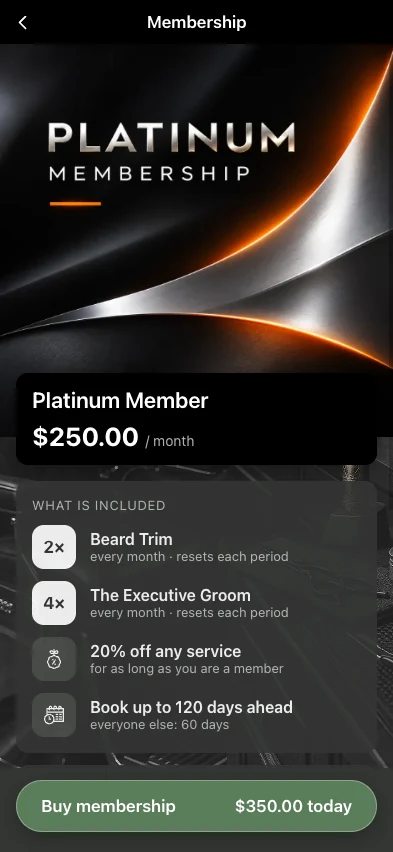
Sell monthly plans in your app and on your website. The card is charged automatically on each renewal date, and the payment goes straight to your Revolut Business account.
In Barberly, go to Payments → Configure payments, choose Revolut and paste the API key from Revolut Business.
Enable Pay at Counter in Revolut Business, so Barberly can send payments to your terminal.
Choose a payment policy. Clients pay online in your app and by card, phone or Revolut Pay on the terminal.
Compiled from the most common inquiries received by our support team
Revolut terminals linked to your Revolut Business account. They appear in Barberly by themselves.
Yes. You connect your own Revolut Business account, and payments go to it.
Yes. Each team member can connect their own account, with Revolut or another provider. Memberships always stay on the shop's account.
No. The shop uses one provider at a time. Each team member can connect their own.
No. Revolut's own fees apply. You see them in your Revolut account.
Connect Revolut in Payments → Configure payments. Clients add their card again, including members.
Barberly takes no commission on payments. Revolut's own fees apply.
Access every Barberly feature free for 30 days. No credit card required.